 RelayDM
Instagram automation for course creators is most useful when it helps a prospective learner evaluate a specific lesson or topic. A sample resource should clarify the course, not pressure someone into enrollment through a confusing sequence. Keep delivery, optional contact collection and paid enrollment as separate decisions.
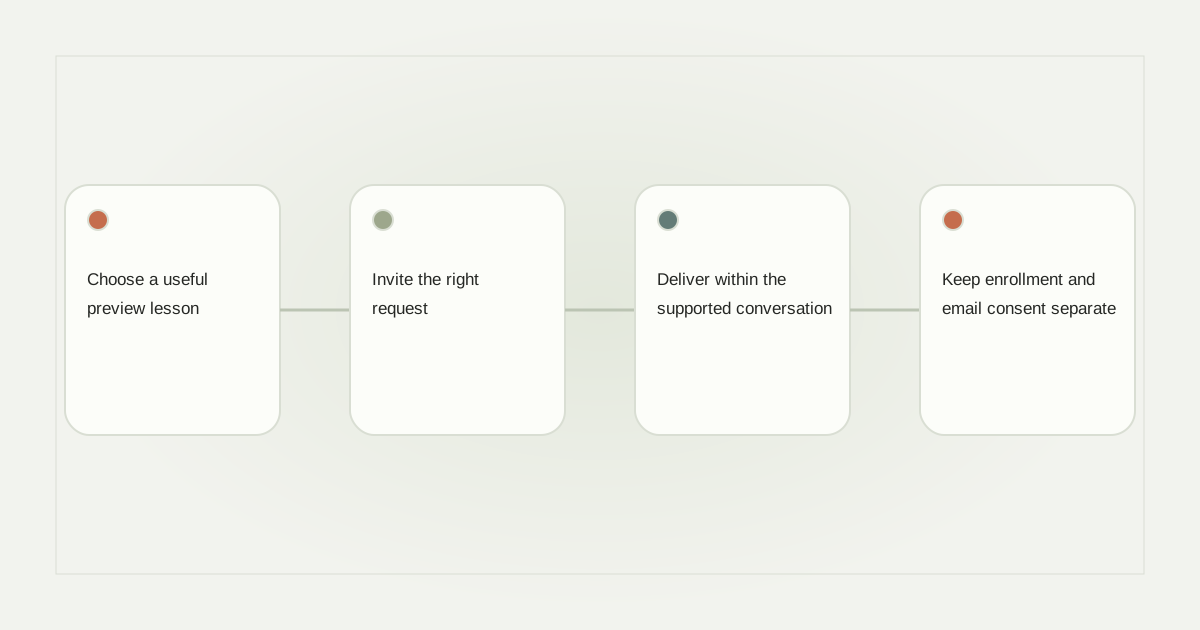
Choose a useful preview lesson
Select a small task a learner can complete without buying the course. A language teacher might offer a pronunciation exercise with an answer key. A spreadsheet instructor could share a budgeting practice file. The resource should reveal the teaching style and prerequisites, not merely repeat a sales page.
Test it on a phone and while signed out of your own accounts. If a special app or account is needed, say so before the click. Make accessibility and file access part of the resource review rather than blaming automation when the destination is unusable.
Invite the right request
A caption could say “Comment PRACTICE for the worksheet used in this lesson.” Keep the keyword specific to that resource. Avoid promising that the exercise guarantees a grade, certification or career outcome. A useful preview demonstrates one task; it does not establish future learner results.
Read the keyword guide before adding broad triggers across unrelated posts. Store the intended course version with the resource so a later curriculum update does not leave old messages pointing to incompatible material.
Deliver within the supported conversation
Use a concise opening and an eligible recipient action before the resource step where required. Meta’s private-reply documentation provides the platform boundary. A sample-lesson request does not authorize an unlimited sequence of enrollment reminders.
For a hypothetical pronunciation lesson, the resource action could say “Open practice exercise.” Follow the recipient’s chosen path, and provide a human route for questions about prerequisites or suitability. Do not let a preview animation stand in for genuine message and interaction evidence.
Keep enrollment and email consent separate
Deliver the promised sample accurately. If you offer an email copy or future lesson updates, explain the purpose and keep the choice optional where that is the actual arrangement. Requesting a worksheet is not the same as subscribing to a promotional list.
Paid enrollment should happen through a suitable secure checkout and course-access process. A link click, comment or DM reply is not payment proof. Avoid collecting payment credentials or sensitive learner information in a conversational shortcut.
Review learner questions, not only clicks
Look for repeated confusion about the resource, prerequisites or next lesson. Ask a colleague unfamiliar with the course to complete the sample and note which instructions needed clarification before you invite a wider audience. Those questions can improve the offer and curriculum description. Separate resource visits, enquiries and genuine enrollments; do not present every interaction as a conversion.
Use the collection guide and measurement definitions when planning the campaign. RelayDM can represent the draft journey, but general customer sending remains gated. Check current product availability before advertising automated delivery. Build a clear sample and honest course transition first; automation should support that teaching decision rather than obscure it.
Sources and editorial notes
Source review: November 1, 2026. This is research-based guidance, not an independent hands-on test of every product. Prices and permissions can change.
Read our methodology, product-availability policy and corrections process.