 RelayDM
When Manychat comment-to-DM stops working, preserve the failed example before rebuilding the automation. The issue may involve the connection, selected content, saved version or recipient interaction rather than the whole flow. A useful investigation narrows one stage at a time and avoids sending duplicate messages to a customer.
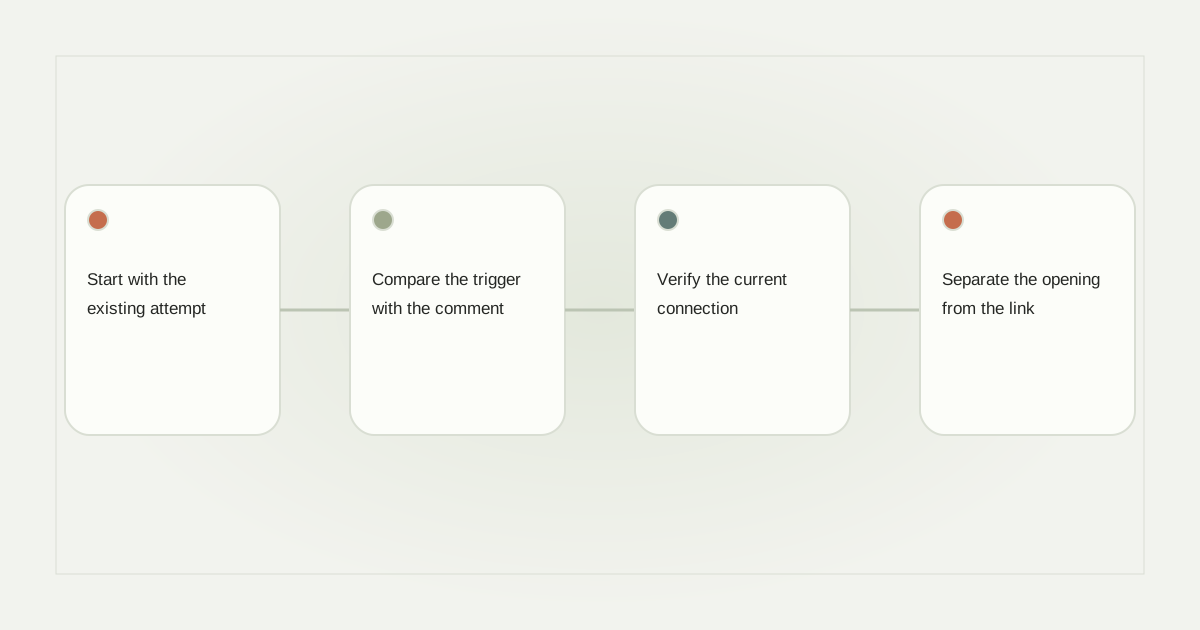
Start with the existing attempt
Record the Instagram account, post or Reel, approximate comment time, keyword and automation name. Confirm which account is open in Manychat; an agency may manage similar workspaces. Keep a sanitized screenshot of the saved trigger, but do not share access tokens or the recipient’s private conversation publicly.
Check Manychat’s official service status before changing settings. An incident report can provide context, but a healthy status page does not prove your particular connection is healthy. Likewise, a platform incident does not establish that every failed comment has the same cause.
Compare the trigger with the comment
Read the official Post and Reel Comments trigger guide alongside the saved configuration. Check selected content, keyword conditions and whether the intended version is live. Do not rely on the preview alone: it can show copy that has not been published.
A hypothetical example is a creator who duplicates a worksheet flow but forgets to select the new Reel. The copy looks correct and the LINK keyword is unchanged, yet the trigger still belongs to the old post. Correcting the media association is more precise than deleting the entire automation.
Verify the current connection
Review connection warnings and granted access using Manychat’s current connection instructions. Connection methods can differ in available functionality. Do not assume an old tutorial describes the controls or permissions in your present account.
If a permission is missing, identify it before reconnecting. Reconnection should use the legitimate owner’s authorization, not another person’s password. Afterward, verify that the same intended professional account is connected and that existing automations still reference the expected content.
Separate the opening from the link
If an opening message arrived but the link did not, inspect the recipient action. A supported response is different from simply opening a website. The comments-trigger guide explains this distinction. Repeating the public comment is unlikely to repair a missing interaction inside the conversation.
If no opening appeared, check Requests and the available activity evidence. A provider-accepted send, an inbox arrival and a read event are different facts. Do not describe a message as delivered solely because a block in the editor is green.
Send support a small evidence package
Provide the automation name, selected post, time range, expected stage and observed stage. Ask whether the event was received, whether it matched and whether an outgoing request was accepted or rejected. Request a sanitized error category rather than copying secrets into the ticket. Include whether the original attempt could still execute before arranging another controlled interaction.
For vendor-neutral checks, use our comment recovery checklist and processing diagnostic guide. This article is not a claim of firsthand Manychat testing. RelayDM also retains customer-sending restrictions; review its actual availability before assuming migration will resolve a platform eligibility issue.
Sources and editorial notes
Source review: November 1, 2026. This is research-based guidance, not an independent hands-on test of every product. Prices and permissions can change.
Read our methodology, product-availability policy and corrections process.