 RelayDM
When Instagram DM automation is not working, find the first missing piece of evidence before changing settings. Reconnecting, republishing and repeating a comment can obscure the original problem. Follow one interaction from its trigger through processing to the provider result, keeping uncertain sends contained.
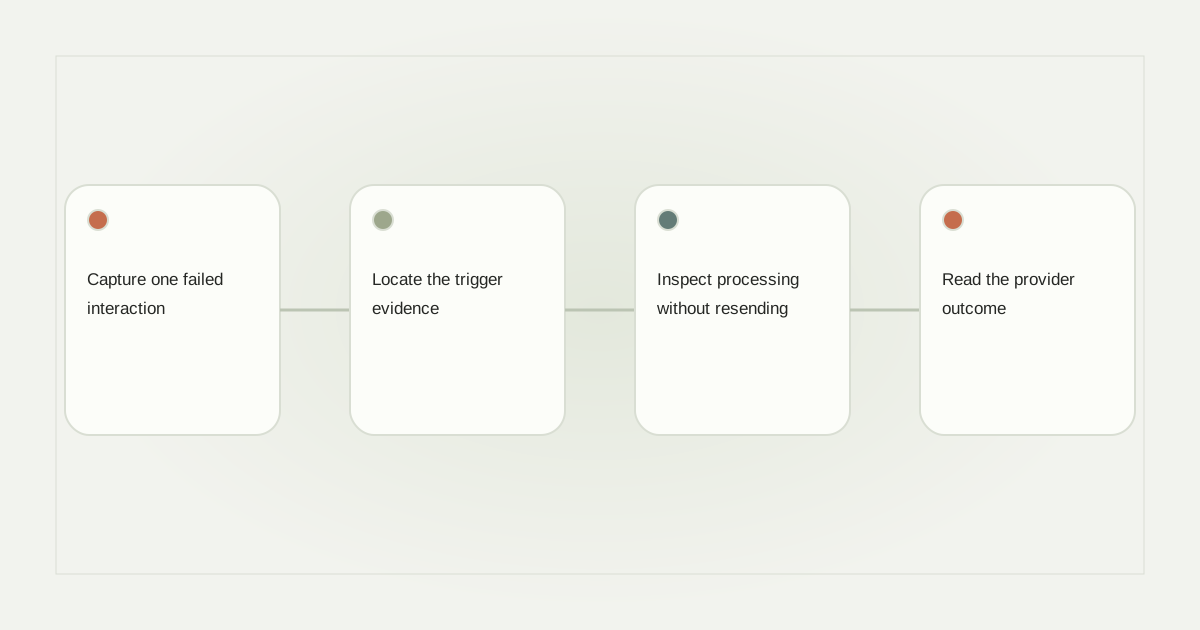
Capture one failed interaction
Record the professional account, post or message context, approximate time, intended rule and expected response. Use a sanitized request identifier when the tool supplies one. Do not paste tokens, raw authorization callbacks or another person’s complete conversation into a public support channel.
Choose one existing attempt rather than creating several new ones. If the issue concerns a comment, confirm the comment still exists and belongs to the expected post. For story replies or inbox messages, preserve the original interaction type instead of describing everything as a generic DM trigger.
Locate the trigger evidence
Ask whether the platform event reached the service and whether it was associated with the correct account. A visible Instagram comment does not prove the automation service received its event. Conversely, a logged event may have been rejected because the rule, post or workspace did not match.
Separate a signature failure, an account-mapping failure and a nonmatching keyword. They require different corrections. Our comment-specific checklist covers post and matching mistakes without assuming a platform outage.
Inspect processing without resending
After a valid event, determine whether work was created, delayed, blocked or stopped. A paused automation, exhausted allowance, missing entitlement or revoked connection can legitimately prevent execution. A successful draft save does not establish permission to send.
If a job is pending, ask what durable recovery exists and whether a lease has expired. Do not manually create a replacement job merely because the interface looks slow. The operator should know whether the original work can still execute before allowing a second attempt.
Read the provider outcome
The next question is whether an outgoing API request was actually made. No request means the failure occurred earlier. A rejected request should have a sanitized provider code or category. An accepted request needs its own message evidence, while a timeout may leave the outcome uncertain.
Meta’s private-reply requirements also explain why an opening and a later message may behave differently. A qualifying recipient interaction and the appropriate messaging window matter. Check Requests when acceptance is confirmed, but do not call that a diagnosis without supporting evidence.
Make one correction and verify
Suppose the event matched but processing stopped because the connection was revoked. Restore the legitimate connection, then determine whether the original request is still eligible before attempting delivery. If the provider outcome is unknown, resolve it first. Never use an endless retry loop as a substitute for evidence.
Record the failed stage, correction, outstanding uncertainty and stop status. Assign a person to follow up, and retain the sanitized timeline so another operator can understand what happened. Use separate event metrics to confirm the transition changed. RelayDM’s general customer sending remains gated, so a blocked publish action can be correct. Check current availability before treating a safety restriction as an application defect.
Sources and editorial notes
Source review: November 1, 2026. This is research-based guidance, not an independent hands-on test of every product. Prices and permissions can change.
Read our methodology, product-availability policy and corrections process.