 RelayDM
If comment-to-DM is not working, begin with the exact comment rather than rebuilding the entire flow. The most useful distinction is whether the comment failed to qualify, the service failed to process it or Instagram did not accept the reply. Each stage needs different evidence.
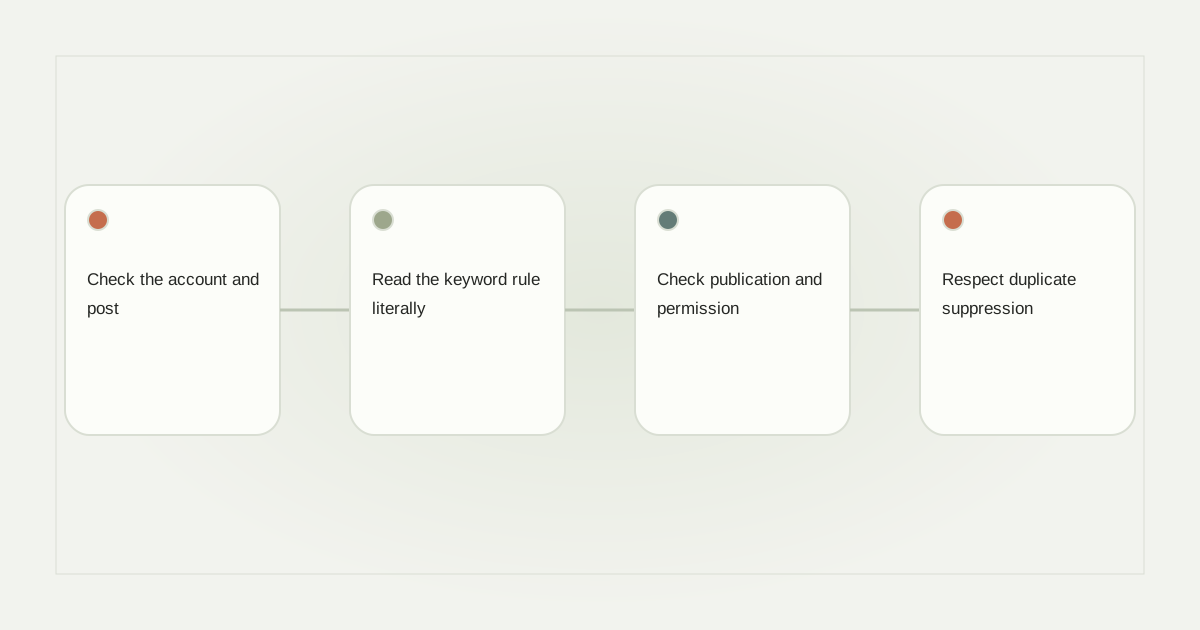
Check the account and post
Compare the connected professional account with the owner of the selected post or Reel. Similar usernames, a recently reconnected account and an old draft can make the interface look correct while the stored association points elsewhere. Use the current connection identity, not just a familiar profile picture.
Then open the selected media. A duplicated automation may still reference the original Reel. A campaign configured for one post should not be expected to reply on another. Record the actual post URL and comment time before changing anything.
Read the keyword rule literally
Suppose the caption says “Comment TABLE for the dimensions” but the saved chip says TABLES. Decide whether the configured matching behavior should accept that variation. Do not assume a broad-match feature exists just because a sales page says the product is smart.
Test case, surrounding words and punctuation against the documented behavior. If All Comments is enabled, make sure that was intentional. The keyword rule guide provides a compact acceptance table for both matches and nonmatches.
Check publication and permission
A preview can show a complete conversation while the automation remains an unpublished draft. Confirm the saved version, enabled state, valid connection and actual sending eligibility. Subscription access and messaging capability are separate requirements; passing one does not automatically satisfy the other.
Meta’s private-reply documentation defines the initial reply path. A tool needs an eligible comment and the appropriate access, and later messaging has additional interaction requirements. If an opening arrived but the resource did not, investigate the recipient action rather than changing the comment keyword.
Respect duplicate suppression
Posting the same comment repeatedly is a poor diagnostic method. A service may correctly suppress repeated events or previously handled requests. Ask whether the original comment has an associated processing record and whether it was accepted, stopped or left uncertain.
Consider a hypothetical event received twice because of network recovery. One resource send is the desired result. A second event being ignored is not necessarily a failure. The problem is a valid first request with no safe outcome, not the absence of extra messages after repetitions.
Make the support request actionable
Send support the account, selected media, intended keyword, approximate time and sanitized reference. Ask four questions: was the event received, did it match, was a send attempted and what did the provider return? Keep credentials and private recipient information out of the report.
If there was an uncertain send, stop before another test. If there was no send because of a proven configuration mistake, correct only that mistake and arrange an authorized new interaction. Our broader diagnostic guide explains processing and provider stages.
RelayDM can preserve a correct draft while customer delivery remains restricted. Consult current product availability; do not remove a valid gate or promise an inbox message simply to make a test appear successful.
Sources and editorial notes
Source review: November 1, 2026. This is research-based guidance, not an independent hands-on test of every product. Prices and permissions can change.
Read our methodology, product-availability policy and corrections process.