
The short answer
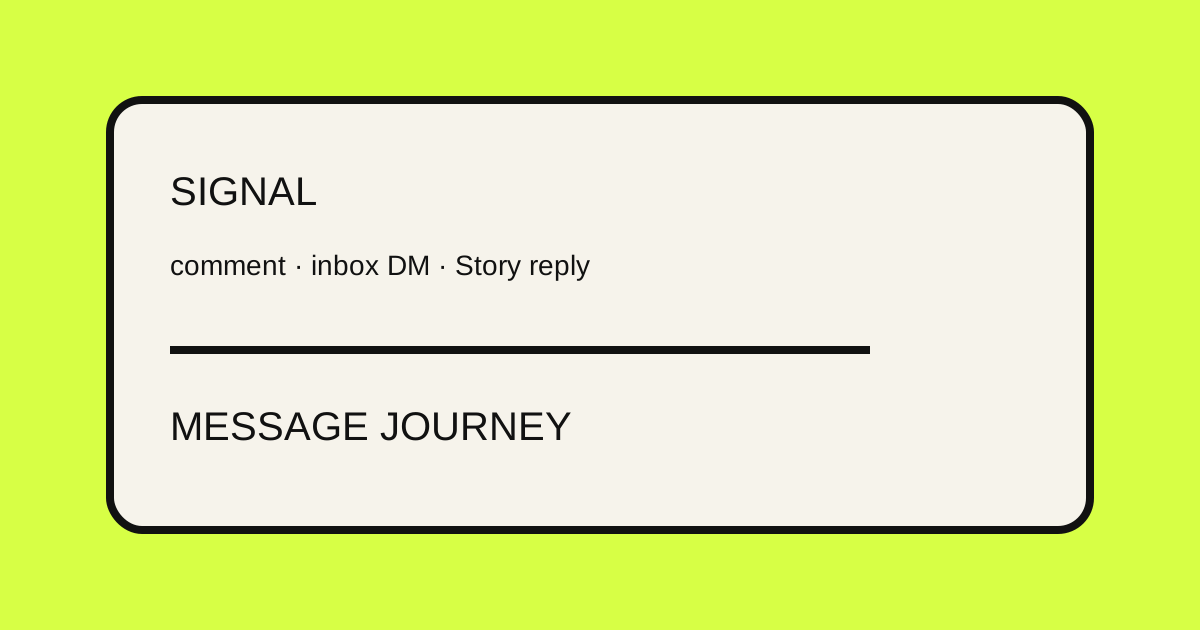
Instagram DM automation means configuring supported Instagram signals to start a saved message journey. In RelayDM, that can include comments on a post or Reel, incoming inbox text DMs and Story text replies, depending on the account and automation setup. The general model is signal → condition → message or delivery → optional follow-up → measured outcome. Start with the supported product workflow, then choose one conversation your team wants to handle consistently. Automation should make a useful answer easier to deliver, not turn every interaction into an unsolicited sales sequence.
What can reasonably be automated
A good Instagram auto DM answers a repeatable request. The trigger identifies a supported conversation surface, the condition narrows who should enter, and the saved message explains the next action. RelayDM can connect configured triggers to private messages and ordered delivery content. It can also record relevant delivery, click and lead outcomes where those steps are enabled. The connected account, permissions, recipient context and provider response remain real boundaries. Do not promise a workflow for a trigger that the current builder does not support.
A useful automation model
Think of an automated Instagram message as a small state machine rather than a single template. First, a supported signal arrives. Next, RelayDM evaluates account and automation context, including keywords, exclusions, target content and case behavior where applicable. The journey then attempts the configured response. It may deliver immediately or wait for a continuation, gate or lead detail. Finally, the system records what happened. This model helps you diagnose a failed send without confusing a matched event with a provider-accepted message.
Story replies and inbox text
RelayDM’s current trigger surfaces also include Instagram Story text replies and incoming text DMs inside the supported inbox context. These triggers begin with a different kind of intent. A Story reply may respond to a current piece of content, while an inbox message may already be part of an existing conversation. Keep their copy distinct from comment copy. A reply to a Story can reference the Story’s subject; an inbox automation should not pretend that the person commented on a post. Test the actual surface selected in the builder.
Keywords and conditions
Instagram keyword automation is a condition layer, not the whole strategy. Use keywords when the person is asked to send a short, recognizable phrase, and add exclusions where certain terms should never enter the journey. Case-insensitive matching can reduce avoidable misses, but it does not understand every nuance of a sentence. Keep phrases natural, avoid ambiguous one-letter matches, and test near misses. For an inbox workflow, decide whether a keyword is genuinely helpful or whether the existing conversation context should be handled by a human.
Write the opening message first
The first DM should orient the recipient. Say why the message arrived, what the person can receive and what they should do next. If a continuation phrase is required, show it plainly. If the workflow is immediate, do not imply that an invisible reply is needed. This is where many automated Instagram messages feel robotic: they begin with a generic greeting and force the recipient to infer the purpose. A short, specific opening usually does more work than a long brand introduction.
Use Text for context
Text delivery is useful for the information that should travel with the resource. It can introduce a checklist, explain how to use a lesson or clarify what a destination contains. Keep it readable on a phone and separate the explanation from the action. A Text item is not a reason to repeat the entire post. Give the recipient just enough context to understand the next item, then let the Link or PDF do its intended job.
Use Links deliberately
A Link item gives the recipient a clear destination and can preserve tracked context for later measurement. Choose a button label that describes the destination, such as Open the checklist or View the details. Check that the destination matches the promise in the trigger message. Do not expose raw tracking URLs in the conversation. A link click is an observed interaction, not proof that a person bought something or read every preceding message.
Use PDFs as prepared content
A PDF can be useful when the deliverable is a document rather than a web page. Prepare and validate the file before activating the automation, describe it accurately and make the surrounding Text helpful. The current product treats PDF delivery as a protected delivery path, not as a claim that Instagram has a special native document feature. If the document is not ready or clean for delivery, do not publish the automation and hope the failure will be invisible.
Fast Delivery for direct journeys
Fast Delivery is the clearest choice when the configured resource should follow the eligible trigger without an extra qualification step. The opening message can explain the resource and the ordered Delivery Content can provide Text, Link and PDF items. Keep the path short. If the person only asked for a guide, requiring several unrelated answers before showing it adds friction without improving the conversation. Read the full preview in order, not only the individual builder cards.
Interactive / Gated when a condition matters
Interactive / Gated is available for journeys that intentionally wait for a continuation response, optional follow verification or lead capture before releasing content. Describe the condition honestly and keep the false or unknown path clear. Follow verification is an optional configured workflow, not a universal Instagram outcome. A native action may be available in some supported contexts, but the written fallback should remain understandable. Do not turn a broad Instagram message automation into a gate simply because the UI offers one.
Lead capture should have a reason
Lead capture can ask for an email, email plus name or another configured response when the journey supports it. Explain the exchange before asking. The person should know what they receive and why the information is needed. Keep the question focused and make sure someone can act on the resulting contact record. Captured leads belong in the CRM view for the workspace; they are not a substitute for a purchase metric or permission to send unrelated campaigns.
Build conversations, not spam
The best Instagram message automation respects the reason the person entered. Use a narrow trigger, a relevant resource and a clear exit. Do not send multiple overlapping messages for the same request. Do not write copy that pretends a human has reviewed the conversation when it has not. Leave a path for questions outside the automation. If the trigger generates noise, narrow the rule or pause it; adding more generic messages usually makes the experience worse.
Creator workflows
Creators can use automation to route recurring requests around a defined post, Reel or Story. A tutorial can offer a checklist, a Story can point to a prepared lesson or an inbox keyword can organize a repeated request. These examples are hypothetical, not customer claims. Keep the resource current and the wording in the creator’s voice. A person should be able to tell what is automated without feeling that the conversation has been abandoned to a machine.
Business workflows
A business can use an automated Instagram message to answer a repeated request for product information, a guide or a destination page. The automation should not promise facts that change faster than the configured resource can be updated. If a question involves an order, unusual requirement or sensitive detail, route it to a person. The automation is strongest at consistent first delivery; it is not a replacement for accurate support, inventory operations or human judgment.
Lead-generation workflows
A lead-generation journey can exchange a useful resource for a configured response. The post or Story should set an accurate expectation, and the private message should explain the next step. Choose Fast Delivery when the resource is the priority; choose Interactive / Gated when the additional response genuinely improves the journey. Inspect captured records and delivery outcomes together. A growing lead count without relevance, a usable resource or a clear follow-up process is not a meaningful success signal.
Primary and Secondary link terminology
RelayDM’s current analytics can show Primary and Secondary link terminology in some views. Preserve that product language when reading the data rather than rewriting it into a different promise. Use the reporting to understand which configured destinations received measured activity and how that activity relates to the automation. Do not infer message opens, sales or identity from a click. If the team needs a new metric, define it separately instead of stretching an existing one.
Common mistakes
Broad automations often fail because they begin with capabilities instead of a conversation. Typical mistakes include using one keyword for unrelated requests, matching every inbox message with a promotional paragraph, hiding a continuation phrase, placing a Link before its explanation, collecting an email without a stated purpose and claiming a DM was delivered when the provider only received an attempt. Review the trigger, rendered copy, mode, ordered resources and recorded outcome as separate checkpoints.
Automation boundaries
An automated Instagram message can only act within the connected account, supported trigger surface, configured journey and provider context. It cannot guarantee that every event is delivered, replace permissions or turn a tracked click into revenue. Account state, recipient context, timing and provider responses can affect the result. Use the current FAQ for product boundaries, and keep the pricing page separate from technical promises about delivery or performance.
How to measure the workflow
Choose one primary outcome before launch. For a resource workflow, inspect matched triggers and delivery outcomes. For a destination workflow, inspect qualified click activity. For a gated journey, inspect where responses and captured leads occur. Compare similar triggers over the same period and document copy or resource changes. RelayDM reports observed activity; it does not claim DM opens or purchases from those records. That distinction keeps the analysis useful when volume is small or provider conditions change.
Setup checklist
Confirm the connected account and choose the supported trigger: comment, inbox text or Story reply. Decide whether keywords and exclusions are needed. Write the opening DM and any continuation phrase. Select Fast or Interactive / Gated intentionally. Add ordered Text, Link and PDF content, check labels and validate every destination. If lead capture is enabled, explain it. Run a controlled match and non-match, inspect the public and private outcomes separately, then review the workflow overview before activating a larger campaign.
Practical takeaway
To automate Instagram DMs well, begin with a supported signal and a specific conversation. Configure the condition, write a useful opening, deliver only the content promised, and measure the boundary you can actually observe. Comment-triggered DMs are one important pattern, but Story replies and inbox text can require different copy and expectations. The RelayDM Resources library contains the narrower guides; use this broad overview to decide which workflow belongs in your next automation.
→START / ROUTE
See supported triggers
See the supported RelayDM workflow and decide whether it fits your next Instagram conversation.
Comment-triggered DMs are one workflow