
Quick answer: yes, with a configured workflow
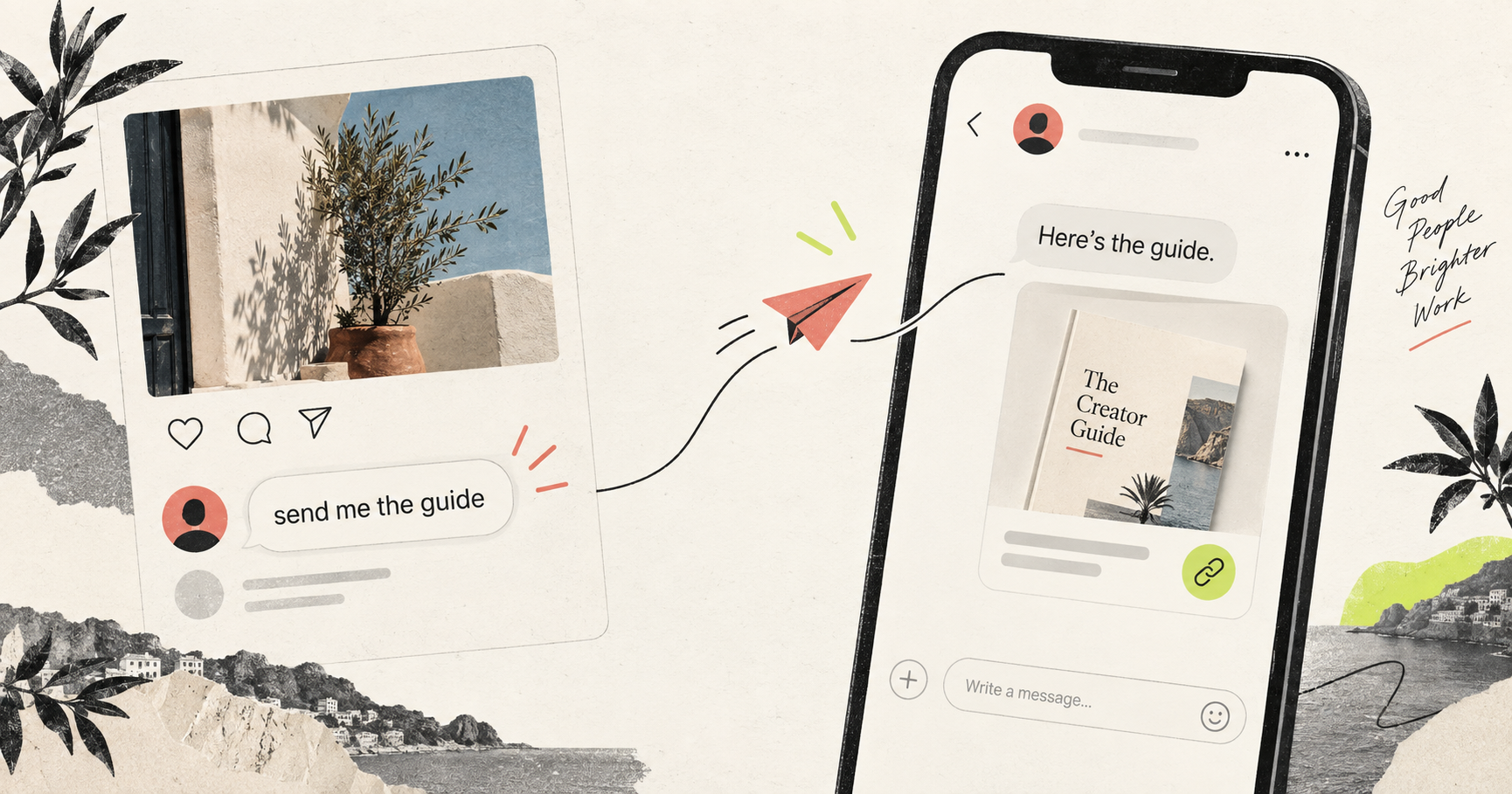
To automatically send a DM when someone comments on Instagram, connect the intended professional account, create an Instagram comment automation, choose whether to match every comment or selected keywords, write the private opening message, and add the content you want to deliver. A qualifying comment becomes the signal: Instagram comment → trigger and keyword match → automation runs → private DM → requested Text, Link or PDF where configured. Depending on the selected mode, the journey can also include a continuation response, an optional follow check, lead capture or tracked-link measurement. The exact provider response still determines whether an attempted message was accepted. Review the supported RelayDM workflow.
What comment-to-DM automation means
Instagram comment automation is a routing system, not a magic reply to every person who visits a post. The comment identifies a possible intent. RelayDM evaluates the connected account, the automation’s targeting, keywords, exclusions and case behavior, then follows the saved message journey. A comment-triggered DM can be useful when a post offers one specific resource, because the public conversation and private delivery have a shared context. It is less useful when one automation tries to answer unrelated questions, sell several products and collect every possible detail. Start with one promise and one next action.
The workflow from comment to private message
A dependable journey has visible stages. First, the person comments on the selected post or Reel. Next, the configured trigger decides whether that event belongs to this automation. If a keyword mode is selected, the Instagram comment is compared with the saved terms and exclusions. Once matched, RelayDM attempts the configured public acknowledgement if one is enabled and separately attempts the private response. The initial DM can explain the next step. A Fast workflow proceeds toward its configured delivery; an Interactive / Gated workflow may wait for a continuation response, configured condition or lead detail before releasing the resources. See how the journey is organized.
Why creators and teams use this pattern
The pattern reduces the gap between a public question and a useful answer. A post can invite people to comment GUIDE, LINK or DETAILS, and the automation can give those people a consistent private path instead of relying on someone to notice every comment manually. It also makes the next action explicit: reply with the configured phrase, open the resource, or provide the requested lead detail. The benefit is clarity and repeatability, not a guaranteed conversion rate. A good automation preserves the human reason for the post while removing the repetitive routing work around it.
Step 1: connect the correct Instagram account
Before building copy, verify the account selected in the builder. Use the official connection flow for the professional Instagram account that owns the target content. RelayDM does not ask for an Instagram password; provider authorization and the permissions available to that account determine what can be attempted. Check the account health and status before testing. If several workspaces or accounts are available, confirm the post, Reel or Story belongs to the one selected in the automation. A perfectly written Instagram auto DM is still the wrong automation if it is attached to the wrong account or content scope.
Step 2: select the trigger and scope
Choose the comment surface and decide whether every comment should qualify or whether a specific Instagram comment keyword should route the journey. Every-comment matching is simple for a post with one obvious offer. Keyword matching is safer when the post attracts several kinds of replies. Add exclusions for terms that should never open the journey, such as spam or irrelevant requests. Keep matching rules understandable enough that another teammate can predict the outcome. Test a near miss as well as an exact example: the best rule is not the one with the most keywords, but the one that creates the fewest surprising conversations.
Step 3: choose a continuation phrase when needed
Some journeys ask the recipient to reply before the next step. If the saved continuation phrase is LINK, show LINK in the first message and make the expected response easy to copy. Do not hide the phrase in a long paragraph or imply that a person has already received the resource. The phrase is a configured routing value, not a substitute for a natural conversation. Read the recipient preview and check the text fallback for the supported messaging context. If the goal is immediate delivery, use the Fast path rather than adding an unnecessary response step.
Step 4: write the first DM
A useful initial DM answers three questions quickly: why am I receiving this, what will I get, and what should I do now? For example: ‘Thanks for asking about the checklist. Reply GUIDE and I’ll send the resource.’ That copy is clearer than ‘Hey! Check your DMs’ because it names the purpose and action. Keep the tone consistent with the post. Use a handle variable only where it improves the sentence, and avoid making the message sound like a system notice. If an interactive action is available in the supported context, it may be used internally; the written fallback should remain understandable on its own.
Step 5: compose ordered delivery content
The current RelayDM builder uses ordered Delivery Content items: Text, Link and PDF. Put the explanation before the destination when a recipient needs context. Use a Text item for a short introduction or instruction, a Link item for a tracked destination, and a PDF item for a ready document that the account is allowed to deliver. Preview the complete sequence rather than judging each card alone. A link button labelled ‘Open the checklist’ is more useful than ‘Click here’. Do not paste raw tracking URLs into the message; the configured Link item keeps the destination and attribution together. Read the current delivery FAQ.
Fast Delivery and Interactive / Gated
Fast Delivery is the direct option when the configured content should be delivered without an additional gate. Interactive / Gated is appropriate when the journey deliberately waits for a continuation response and may include optional follow verification or lead capture. Follow verification is not a universal outcome and should be described as an optional configured workflow. A false or unknown verification result should not be presented as access granted. Likewise, a provider’s inability to accept an interactive action is not a reason to invent a new capability. Choose the mode that matches the promise in the Instagram post.
Lead capture without unnecessary friction
A lead step can ask for an email, email plus name or another configured response, depending on the current builder options. Use it when the contact detail serves a clear purpose, such as sending a follow-up resource or giving a team a way to respond. Explain what happens after the person submits the response and keep the question focused. Do not ask for personal information merely because the form allows it. A captured lead is a record of a configured response; it is not proof of a purchase, identity verification or permission for unrelated outreach.
Tracking and analytics boundaries
RelayDM can connect configured automation context with delivery outcomes, tracked-link activity and captured leads where those steps are enabled. That makes it possible to ask practical questions: which trigger matched, which delivery item received activity, and where did the journey stop? Keep the interpretation narrow. A tracked click does not prove that someone read every message or bought something. A sent attempt does not prove that the recipient opened the DM. Use Analytics and Leads to review measured events, then change one part of the journey at a time so the next comparison remains useful.
Practical examples
Consider a creator publishing a tutorial and asking people to comment GUIDE. The automation can match GUIDE, send an opening DM, and deliver a Text explanation followed by a PDF. A seller might ask people to comment DETAILS on a product post, then deliver a short Text item and a tracked Link. An educator could use a Story reply as the trigger for a resource journey, while keeping comment automation focused on the post that introduced the topic. These are hypothetical patterns, not customer results. In each case, the copy should say what the person will receive and the configuration should match that promise.
Common mistakes to avoid
The most common problem is a mismatch between the post and the automation: the post says ‘comment GUIDE’ while the automation matches only LINK. Other mistakes include using a broad every-comment rule for a busy post, forgetting exclusions, writing a public reply that claims delivery before it is confirmed, and placing a destination before the explanation the recipient needs. Avoid changing the delivery architecture to imitate a screenshot. Review the rendered preview, test a non-match, check every Link and PDF, and make sure an optional gate is described as optional.
Automation versus manual replies
Manual replies are valuable when a question is unusual, sensitive or outside the automation’s promise. Automation is valuable when the same clear request arrives repeatedly and the answer is stable. The two approaches can coexist. Use the automation for routing and first delivery, then use a person for nuanced follow-up. Keep the public acknowledgement separate from the private conversation so the team knows what was actually attempted. When a campaign produces unexpected comments, narrow the trigger instead of forcing every exception into a growing message template.
Safety and provider-aware operation
A responsible Instagram auto DM workflow stays within the connected account’s supported provider context and treats permissions, message timing and provider responses as real boundaries. Do not request or store passwords in the workflow. Do not promise that every message will be accepted, and do not retry a permanent rejection blindly. Inspect delivery outcomes and keep sensitive details out of public replies. RelayDM’s product and FAQ pages describe current supported triggers, delivery items and measurement limits; use them as the source of truth when planning copy rather than relying on assumptions about Instagram features.
A launch checklist
Before activating, confirm the connected account, target post or Reel, trigger mode, keywords, exclusions and case setting. Read the first DM aloud. Confirm the continuation phrase, if any, and decide whether Fast or Interactive / Gated is genuinely necessary. Check the exact order of Text, Link and PDF content, Link labels and PDF readiness. Run a controlled match and non-match, inspect the public and private outcomes separately, and review the resulting analytics or lead record only where configured. Finally, make the post’s instruction as clear as the automation’s instruction.
The practical takeaway
To automatically message Instagram commenters well, design the journey before turning on the automation: comment → match → private opening DM → requested content where configured → optional gate, lead capture or tracking. Keep the trigger narrow, the phrase visible, the delivery order intentional and the claims factual. RelayDM can help you configure that journey in one place, but the quality still comes from the promise you make, the resource you deliver and the care you take with provider boundaries. Explore the product overview or read the FAQ before choosing the smallest workflow that solves the actual problem.
Questions
Does every comment create a DM?
No. Only comments that match the configured automation and supported delivery conditions are eligible.
→START / ROUTE
See the RelayDM workflow
See the supported RelayDM workflow and decide whether it fits your next Instagram conversation.